
We are experts in applying ink to work on apparel and accessories. If you have a special screen printing project, we can “ink it” for you!

Screen printing is a method of printing in which a porous mesh is stretched over a wood or metal frame, an image is stenciled onto the mesh and then ink is forced through the stenciled area on the mesh thus imprinting the image on a garment or substrate. One frame (screen) is used for each color in the design. If the design requires more colors, additional screens are used for each.
Is there more I should know?
Yes, there are also three main methods to keep in mind when creating and preparing art to be screen printed and it’s important to know which one is right for your project. They are Spot Color, Simulated Process Color and Four Color Process. Each method has it’s advantages and disadvantages.
Spot Color

Spot color is the most widely used method of developing art for screen printing. It simply means that one screen is used for each color. Typically the colors or screens do not overlap one another but can be printed next to one another. Halftones can be used in the art to create tints and fades of each color or screen. The larger the press, the more colors/screens can be used in the design.
Advantages
- Colors are bright and vivid.
- Pantone colors can be used
- Easy to create separations for screens.
- Easy to set up on press.
- Clean crisp look.
Disadvantages
- Designs with many colors require many screens.
- Not ideal for realistic or photographic images.
Simulated Process

Advantages
- Creates tints, shades and blends without adding screens.
- More organic or natural look.
- Colors are bright and vivid.
- Pantone colors can be used.
Disadvantages
- Requires more art time and setup time.
- Overlapping inks sometimes leads to a less crisp image.
Four Color Process

Advantages
- Designs with many colors require fewer screens.
- Great for full color, photographic images.
Disadvantages
- Harder to set up and maintain on the press.
- Colors are not as bright and vivid.
- Not ideal for printing on colored or dark garments.
- Pantone color matching is not possible
- Moire or dot pattern interference may occur.

The design makes the shirt!
Oftentimes the quality of the image on the shirt is more important to the success of your project than the garment itself. Additionally, it’s important to produce the best possible artwork without breaking your budget. Here’s how to avoid some of the back-and-forth and confusion that can sometimes accompany the t-shirt design process.
Helpful tips to make your project go smoothly
- Develop a complete list of what you need in your t-shirt design; all of the text, design elements, ink colors, number of colors, number of locations, the garments and color of garments. Include anything that you KNOW you want in the design.
- Provide us with any images or sketches you may have. You know the saying, “a picture is worth a thousand words”.
- Think about the look and feel you want. Consider your audience and we can tailor your vision to them.
Tips for submitting your own digital files
- Native Adobe Illustrator (.ai) and Photoshop (.psd) files are preferred but we accept most common file types such as .jpg, .pdf, .tif, .png, .eps… and more. In addition, if you submit low quality or low resolution images we will have to recreate your artwork.
- Raster type art files should be created and submitted at no less than 300 dpi and at the actual print size.
- Vector art files should have all of the fonts converted to outlines or paths. Any linked images should be included or embedded.
Additional Screen Printing Resources

Stock Ink Colors
View our Screen-Printing Ink Colors PDF and choose from a list of our stock ink colors for your project. Custom mixed and Pantone colors are available for an additional charge.

Imprint Sizes
Not all garments can accommodate the same size imprint. Our handy Imprint Size Chart illustrates the size of design that can be printed on different size t-shirts and hoodies.

Helpful Screen Printing Blog Posts
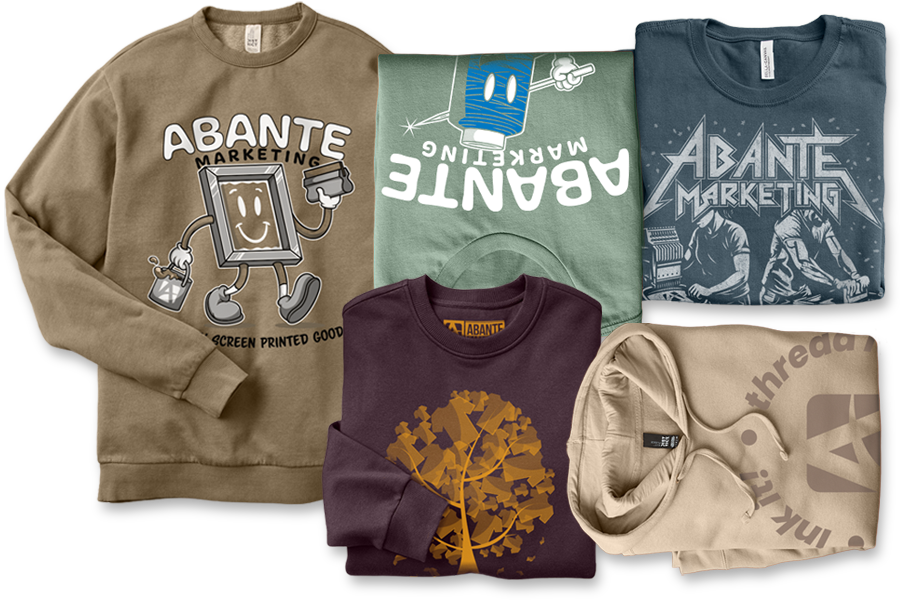
These are just a few of the amazing designs done by our Art Team.
Find out what they can do for you today!